Optimize Sitemap.xml So AI-Crawlers Index Your Content
Why Your Sitemap.xml Determines If AI Finds You
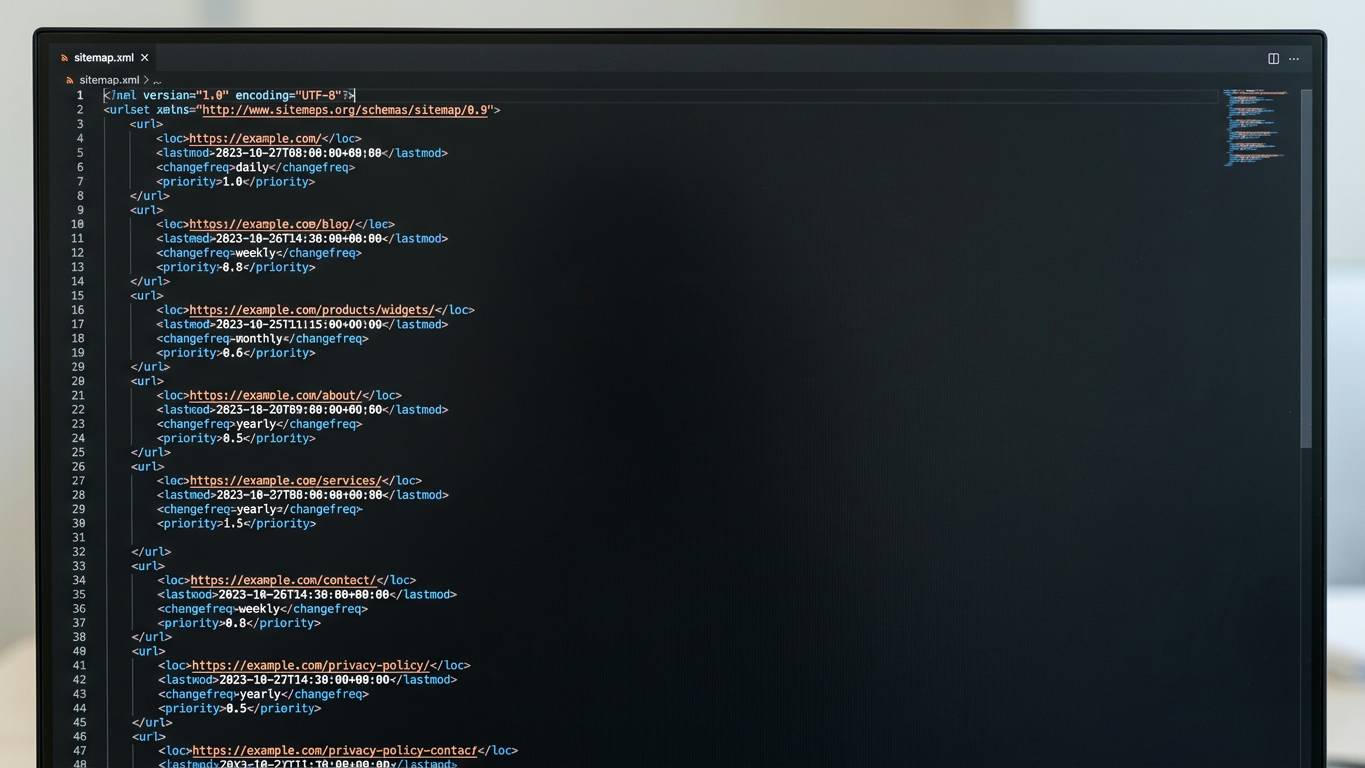
Your sitemap.xml is not a dusty SEO artifact. It is the roadmap that AI-crawlers from OpenAI, Anthropic and Google use to discover and index your content.
Without an optimized sitemap, you miss the chance to be mentioned in ChatGPT, Perplexity or Google AI Overviews.
Traditional sitemaps are built for Googlebot. But the crawlers behind large language models (LLMs) work differently. They don't search for thousands of URLs, but for the most relevant, structured and citable pages. A sitemap that suffices for classic SEO can be an obstacle for LLM-indexing.
In this tutorial, you will learn step by step how to optimize your sitemap.xml for AI-crawlers. So your brand is not only discoverable in Google, but also in the answers of generative AI-engines.
What LLM-Crawlers Do Differently Than Traditional Search Engines
Before you get started, it is essential to understand how AI-crawlers interpret your sitemap. Classic search engines index broadly: every URL counts. LLM-crawlers are more selective. They prioritize content that is directly citable.
This means concretely:
- LLM-crawlers often ignore URLs with parameters, session IDs or filtered list pages
- They prioritize pages with clear, semantically structured content
- They respect robots.txt and llms.txt as a gateway to your site
A sitemap full of irrelevant URLs slows down the crawl process and dilutes the attention of AI-crawlers. The result: your best content gets overlooked.
Step 1: Audit Your Current Sitemap for LLM-Suitability
Start with a baseline measurement. Open your current sitemap.xml and assess it on the following criteria:
| Criterion | Desired Situation | Risk If Deviation |
|---|---|---|
| Number of URLs | Only canonical, content pages | Crawl budget wasted on irrelevant URLs |
| URL Parameters | No parameters or session IDs | AI-crawler indexes duplicates or empty pages |
| Lastmod Date | Current and correct per page | Crawler skips pages as "outdated" |
| Priority Tag | Highest value for core pages | AI misses your most important content |
| Response Code | Only 200 statuses | 404s and redirects reduce crawl efficiency |
Want to know directly how AI-crawlers interpret your site now? Start a Quickscan on GrowthScope and receive a technical validation within 2 to 5 minutes, without account or setup.
Step 2: Clean Up Your Sitemap for Maximum Relevance
After the audit, it's time to prune. Remove everything that has no direct value to an AI-engine that wants to cite your brand.
Remove These URL Types:
- Pages with thin content (less than 300 words)
- Tag and category pages without unique content
- Search results pages and filtered overviews
- Old landing pages that are no longer current
- URLs with query parameters like
?ref=,?utm_or?session=
Keep and Prioritize:
- In-depth blog articles and knowledge pages
- Product pages with extensive specifications
- FAQ sections with structured answers
- Pages with schema markup that AI-engines can parse directly
The goal is a compact, quality sitemap. Think of a curator's selection rather than a complete catalog.
Step 3: Optimize the Technical Sitemap Structure
With a cleaned-up URL list, you can strengthen the technical structure. Here are the concrete implementation steps:
Use Correct Lastmod Dates
Set the <lastmod> tag to the actual last modification date of the content. Not the date of a technical deployment. AI-crawlers use this date to determine if your content is current enough to cite.
Split Large Sitemaps
Does your site have more than 500 relevant pages? Use a sitemap index with separate sitemaps per content type:
sitemap-blog.xmlfor knowledge contentsitemap-products.xmlfor product pagessitemap-pages.xmlfor static pages
This helps AI-crawlers find the right content category directly.
Validate With Schema Markup
Pages in your sitemap should be equipped with structured data. Schema markup is the translation of your website into a language that AI understands. Combine your sitemap with Article, FAQPage or Product schema to increase citability.
Step 4: Connect Your Sitemap With Llms.txt and Robots.txt
An optimized sitemap does not work in isolation. The three files that together determine your AI-accessibility:
- robots.txt: determines which crawlers have access to which sections
- llms.txt: gives LLM-crawlers specific instructions about your site and core pages
- sitemap.xml: provides the complete roadmap to your indexable content
Make sure your robots.txt contains a direct reference to your sitemap:
Sitemap: https://yourdomain.com/sitemap.xmlAnd check that AI-crawlers such as GPTBot, ClaudeBot and PerplexityBot are not blocked in your robots.txt, unless you deliberately choose to do so.
Step 5: Monitor and Iterate With Trendtracking
Sitemap optimization is not a one-time action. AI-engines continuously update their crawlers. What is correct today can be outdated in a quarter.
Integrate these checks into your monthly sprints:
- Validate that new content is automatically included in the sitemap
- Check that deleted pages are also removed from the sitemap
- Monitor whether AI-engines actually cite your content after optimization
- Compare your GEO Readiness Score periodically to measure progress
With regular monitoring, you can continuously improve your GEO strategy and ensure that your sitemap always stays up-to-date for AI-indexing.
Your Sitemap as a Strategic GEO-Instrument
Your sitemap.xml is the starting point of your AI-visibility.
By removing irrelevant URLs, setting lastmod dates correctly and connecting the sitemap with llms.txt and schema markup, you give AI-crawlers exactly what they need. The result: your content is found faster, understood better and cited more often by generative AI-engines.