Your website scores well in Google, but are you also mentioned by ChatGPT or Perplexity? Without structural technical checks on AI visibility, your content remains invisible to crawlers from OpenAI, Anthropic and Google AI. This checklist provides you with a concrete, repeatable framework that you can directly incorporate into your sprint planning.
Why a technical GEO-audit belongs in every sprint
AI engines work fundamentally differently from classic search engines. They crawl your site, interpret the structure and decide based on that whether your content is citable.
One technical misconfiguration can ensure that your competitor gets recommended while you don't.
The problem: most development teams only check for AI visibility when it's already too late. By incorporating a GEO-audit as a permanent part of your sprint, you detect issues before they have an impact. This turns reactive fixing into a proactive quality process.
The checklist: 7 technical checks per sprint
The checklist below is designed for developers and IT leads who want to treat GEO as a Technical Health KPI. Each item requires minimal effort but delivers maximum crawlability.
1. Robots.txt validation for AI crawlers
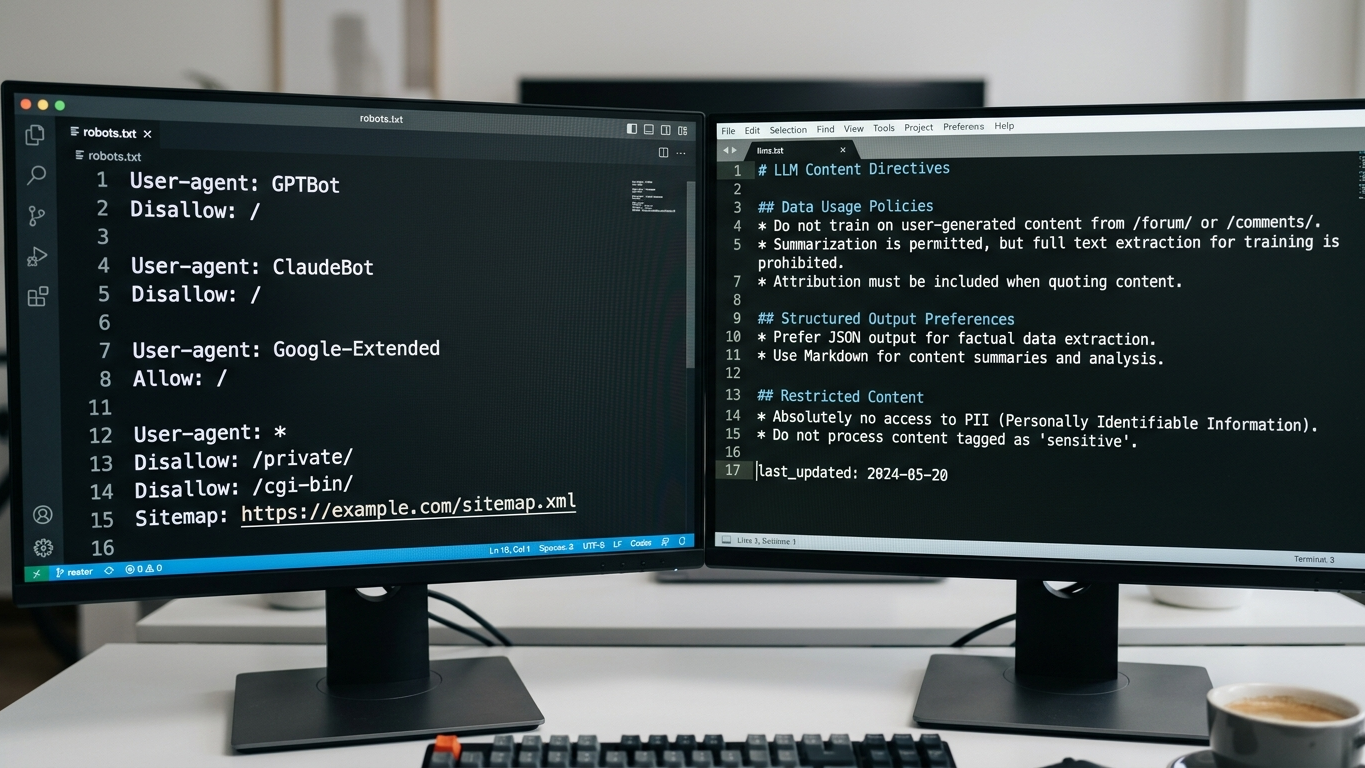
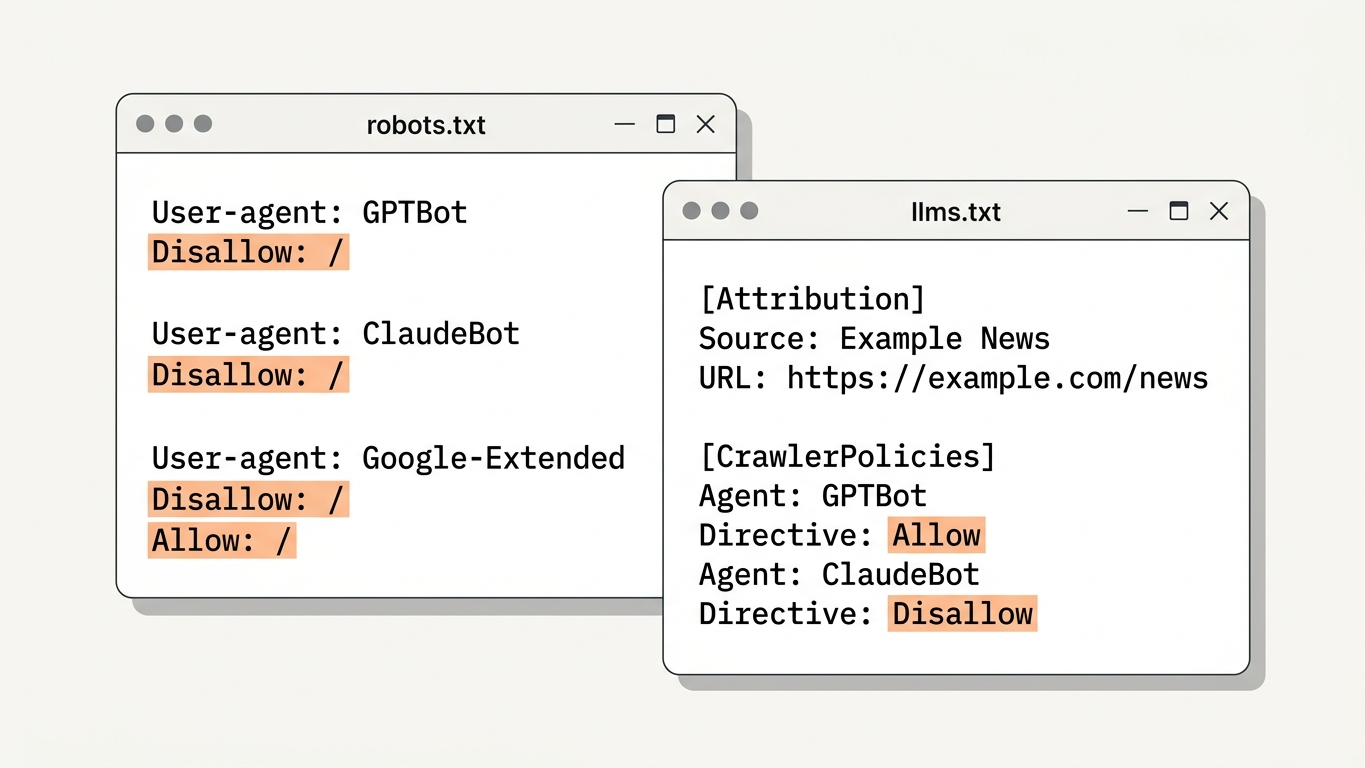
Check whether your robots.txt allows the correct crawlers. By default, you may be blocking GPTBot, ClaudeBot or Google-Extended without knowing it. Open your robots.txt and verify the following rules:
- Is GPTBot (OpenAI) allowed or blocked?
- Is ClaudeBot (Anthropic) explicitly mentioned?
- Are there wildcard rules that unintentionally exclude AI crawlers?
One incorrect disallow rule makes your entire site invisible to a complete AI platform.
2. llms.txt status check and implementation
The llms.txt file is the equivalent of robots.txt, but specifically for large language models. It tells AI engines which content is relevant and how they should interpret your site. Check every sprint whether this file exists, is up to date and is correctly structured.
Don't have an llms.txt file yet? First read what llms.txt is and why your website needs it. GrowthScope generates a ready-made template with every audit that you can implement directly.
3. Schema markup validation
Schema markup translates your content into a language that AI understands. Without correct structured data, you miss context that AI engines need to recognize your brand as an authority. Check every sprint:
- Are all core pages provided with Organization, Product or Article schema?
- Does your FAQ page contain the correct FAQPage schema?
- Does your schema generate no validation errors in the Rich Results Test?
4. Server-side rendering check
AI crawlers process JavaScript differently than modern browsers. Content that only becomes visible after client-side rendering simply doesn't exist for many AI bots. Test every sprint whether your core pages are fully server-side rendered.
Quick test: view your page with JavaScript disabled. Do you see the full content? Then your rendering is correct. If not, you may be missing 100% of your AI visibility on that page.
5. Canonical tags and redirects
Duplicate content is a reason for AI engines not to cite any of the versions. Check that each page has a correct canonical tag and that your redirect chains contain no loops. A maximum of one redirect per URL is the standard.
6. Page speed and crawl budget
AI crawlers, like classic bots, have a limited crawl budget. Pages that take longer than 3 seconds to load are often skipped. Monitor every sprint:
- Core Web Vitals scores of your top 20 pages
- The number of server errors (5xx) in your logfiles
- The average response time for bot requests
7. Content citability check
Citability determines whether AI can adopt your texts verbatim as a source. This is not purely a technical check, but does require technical structure. Verify that your content meets these requirements:
- Clear H2/H3 hierarchy per page
- First paragraph contains a direct, factual statement
- No essential content hidden behind tabs, accordions or modals
Read more about the relationship between technical setup and generative engine optimization in our comprehensive GEO guide.
Sprint integration: from checklist to work process
The strength of this checklist lies in its repetition. Adopt the following structure in your sprint planning:
| Sprint phase | GEO action | Time investment |
|---|---|---|
| Sprint Planning | Assign checklist items as subtasks | 10 minutes |
| Development | Implement fixes based on audit results | 1 to 2 hours |
| Sprint Review | Compare GEO Score with previous sprint | 15 minutes |
| Retrospective | Identify recurring issues for structural fix | 10 minutes |
By using the GrowthScope Quickscan as a baseline measurement, you have an objective GEO Readiness Score from 0 to 100 within 2 to 5 minutes. No account, no API keys, no setup. That score becomes your benchmark for every subsequent sprint.
From one-time check to structural monitoring
A single audit shows your starting position. But AI engines continuously change their crawl behavior and ranking logic. What is correctly configured today may be outdated next month.
Therefore, consider quarterly trend tracking alongside your sprint checklist. This combines tactical control per sprint with a strategic overview per quarter. Do you have questions about the best approach for your situation? Then contact the GrowthScope team.
Get started right away
Start your first technical GEO audit today. Enter your domain, receive your GEO Readiness Score and integrate the results as a fixed KPI in your next sprint. This ensures that AI engines not only find your brand, but also actively recommend it.
Start your Quickscan →