AI-crawler user agents: the complete list for 2026
Which AI-crawlers visit your website without you knowing?
Your website receives daily visits from bots that you don't see in Google Analytics. GPTBot, ClaudeBot, PerplexityBot and Google-Extended crawl your pages to train AI models and generate answers. The difference from traditional search engine crawlers? These bots determine whether your brand will be mentioned in AI-generated answers or not.
Without insight into which AI-crawlers are active, you lose control over your AI visibility.
In this reference article, you'll find the complete list of all relevant AI-crawler user agents for 2026, including their function and how to manage them via your robots.txt and llms.txt.
The complete list of AI-crawler user agents for 2026
The table below contains all known AI-crawler user agents currently actively crawling websites. Use this list as a reference when configuring your technical GEO setup.
| User Agent | Owner | Primary function | Active since |
|---|---|---|---|
| GPTBot | OpenAI | Training and real-time ChatGPT answers | 2023 |
| OAI-SearchBot | OpenAI | ChatGPT Search results | 2024 |
| ChatGPT-User | OpenAI | Real-time browsing by ChatGPT | 2023 |
| ClaudeBot | Anthropic | Training Claude models | 2023 |
| PerplexityBot | Perplexity AI | Real-time Perplexity search results | 2023 |
| Google-Extended | Training Gemini and AI Overviews | 2023 | |
| Googlebot | Indexing and AI Overviews | 2004 | |
| Bytespider | ByteDance | AI model training (TikTok) | 2022 |
| CCBot | Common Crawl | Open dataset for AI training | 2011 |
| Applebot-Extended | Apple | Apple Intelligence features | 2024 |
| Meta-ExternalAgent | Meta | Training Meta AI models | 2024 |
| Amazonbot | Amazon | Alexa and Amazon AI services | 2022 |
| cohere-ai | Cohere | Training enterprise AI models | 2024 |
This list is a snapshot. New crawlers appear regularly. Want to automatically check which bots can reach your site? The GrowthScope Quickscan validates this within 2 to 5 minutes, without account or API keys.
What does each AI-crawler do exactly?
Not all AI-crawlers are the same. The distinction lies in the difference between training and retrieval.
Training crawlers
GPTBot, ClaudeBot, Bytespider and CCBot collect content to train AI models. Your texts are processed into the model's knowledge base. Blocking means your content won't be included in future model versions, but has no direct effect on current answers.
Retrieval crawlers
OAI-SearchBot, ChatGPT-User and PerplexityBot retrieve real-time information to generate current answers. If you block these crawlers, your brand disappears immediately from the search results of these platforms. This is the most impactful distinction for your AI visibility.
Hybrid crawlers
Google-Extended and Googlebot operate at the intersection. Googlebot is essential for regular indexing and simultaneously feeds AI Overviews. Google-Extended is specifically for Gemini training. Never block Googlebot unless you also want to disappear from regular search results.
How do you configure your robots.txt for AI-crawlers?
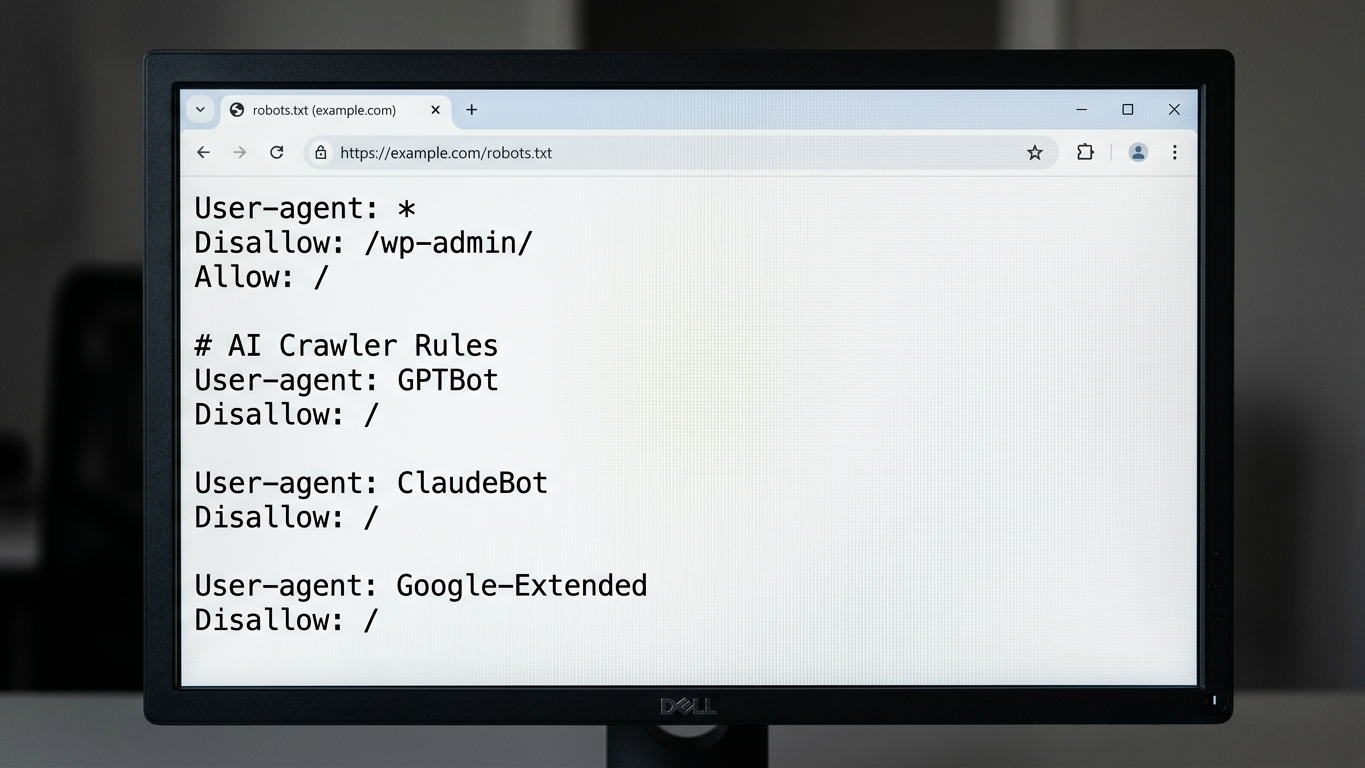
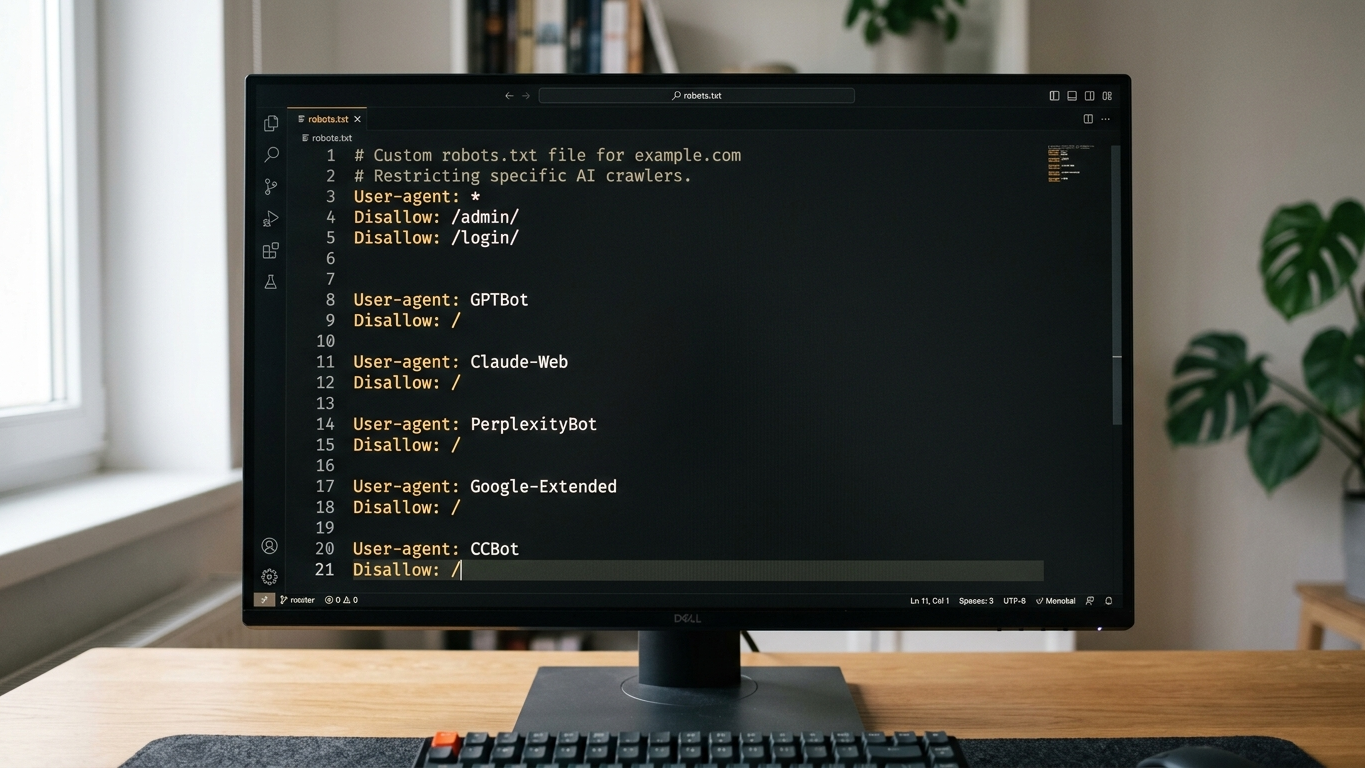
The robots.txt is your first line of defense. Below you'll find a reference configuration that you can implement immediately.
Example: allow all AI-crawlers (recommended for maximum visibility)
User-agent: GPTBot
Allow: /

User-agent: ClaudeBot
Allow: /

User-agent: PerplexityBot
Allow: /

User-agent: Google-Extended
Allow: /

User-agent: OAI-SearchBot
Allow: /
Example: block training-crawlers, allow retrieval
User-agent: GPTBot
Disallow: /

User-agent: OAI-SearchBot
Allow: /

User-agent: ChatGPT-User
Allow: /

User-agent: ClaudeBot
Disallow: /

User-agent: PerplexityBot
Allow: /
Be aware: a robots.txt error can disable your entire AI presence. The GrowthScope audit automatically validates your configuration and generates a llms.txt template as a supplement to your robots.txt.
Why llms.txt is a supplement to robots.txt
The robots.txt tells crawlers what they can and cannot do. The llms.txt file goes one step further. It tells AI models what your organization does, which pages contain the most value, and how your brand should be correctly described.
Think of it this way:
- robots.txt controls access (yes or no)
- llms.txt controls context (who you are, what you offer)
Both files together form the technical foundation of your Generative Engine Optimization.
Without llms.txt, the AI-crawler lacks the context to correctly cite your brand in answers.
Common mistakes in managing AI-crawlers
We regularly see the following configuration errors in GrowthScope audits:
- Wildcard blocking: A
Disallow: /for all user agents also blocks AI-crawlers, making your brand completely invisible to AI engines. - Confusing Google-Extended with Googlebot: Blocking Googlebot removes you from all Google results, not just AI Overviews.
- Blocking retrieval-bots: Blocking GPTBot while not explicitly allowing OAI-SearchBot and ChatGPT-User. Result: no real-time visibility in ChatGPT.
- No monitoring: AI-crawlers are regularly updated or renamed. Without periodic validation, your configuration becomes outdated.
Want to avoid these mistakes? Discover the 5 biggest GEO mistakes, or start a scan directly at growthscope.io.
Next step: validate your AI-crawler configuration
You now have the complete reference list of AI-crawler user agents for 2026. The question is not whether these bots visit your site. The question is whether they find the right content and cite your brand correctly.
Start your GEO audit and receive a complete report within 10 minutes with your GEO Readiness Score, robots.txt validation and a ready-to-use llms.txt template.