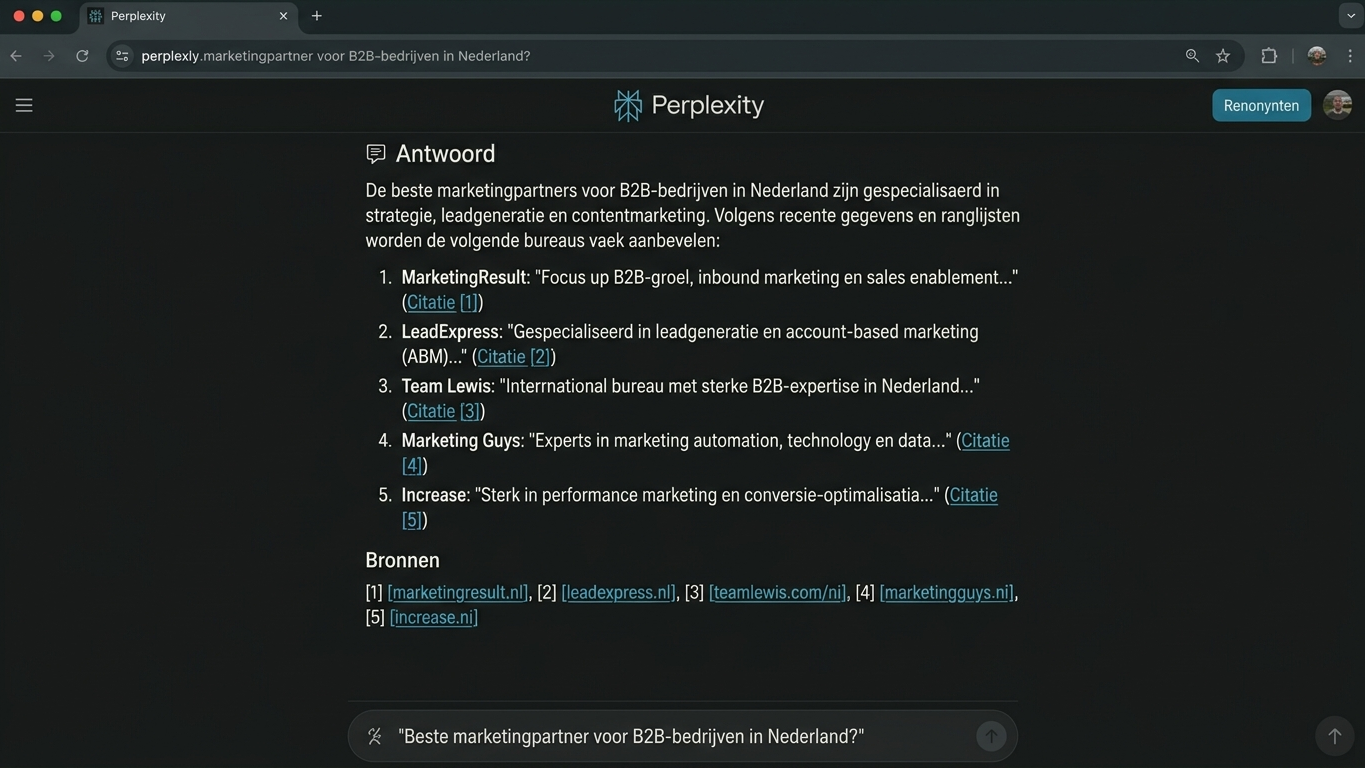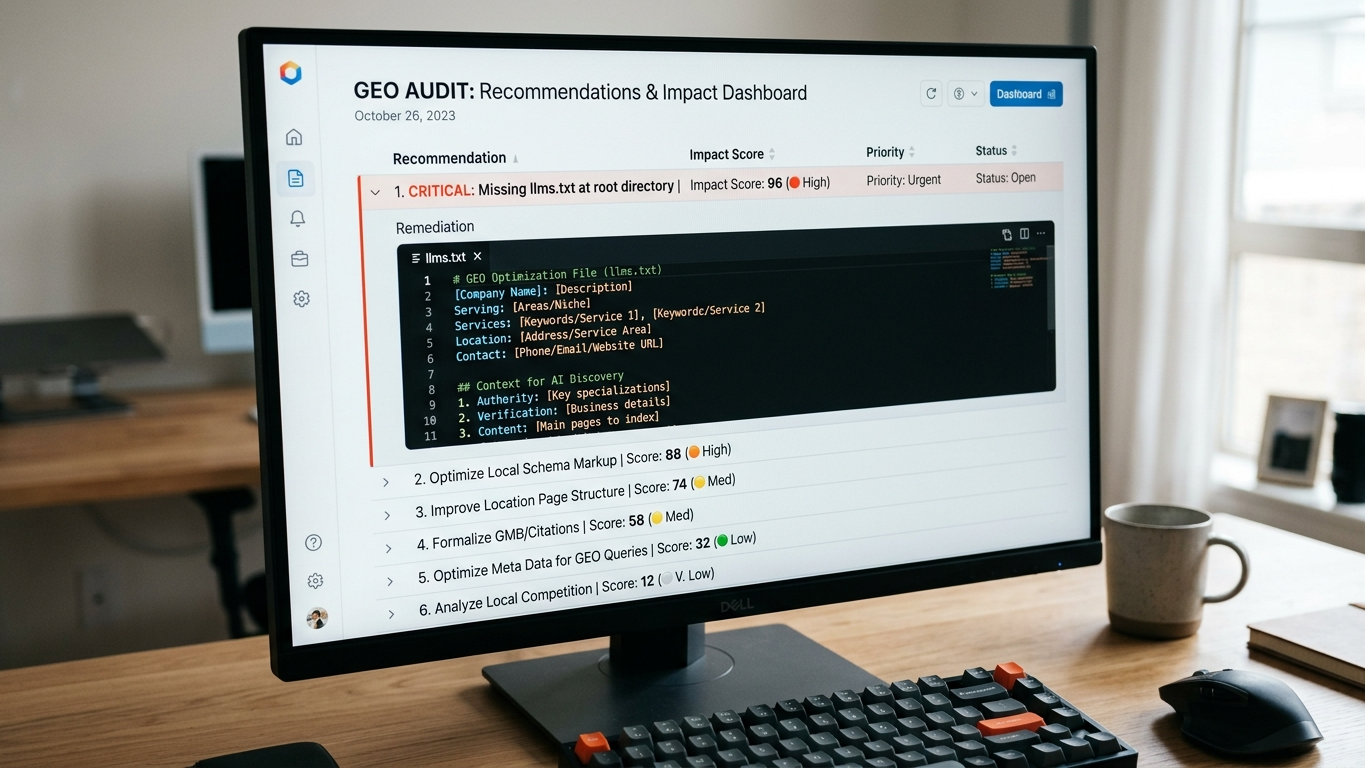
Prioritizing optimizations with code snippets and impact scores from your GEO audit
Why code snippets and impact scores accelerate your technical GEO workflow
You've run your GEO audit and are staring at a list of dozens of recommendations. The question is not what you should do, but what you should do first. Without a clear prioritization framework, you'll burn hours on optimizations that barely impact your AI visibility.
Impact scores and ready-made code snippets translate the raw data from your GEO Readiness Score into an ordered action plan you can directly incorporate into your sprint.
In this tutorial, you'll walk through step by step how to read those scores, filter them, and convert them into technical implementations that measurably increase your citability in AI engines.
What are impact scores and how do you read them?
An impact score is a weighted value (0 to 100) that indicates how much influence a specific optimization has on your overall GEO Readiness Score. The higher the impact score, the greater the effect on your visibility in ChatGPT, Perplexity, Google AI Overviews, and Claude.
GrowthScope calculates this score based on three factors:
- Crawlability weight: can the AI crawler reach the content in question?
- Citability weight: how likely is the content to be literally adopted as a source?
- Competitive delta: does your competitor already score better on this specific point?
By reading impact scores as a technical KPI, you avoid starting with cosmetic changes while fundamental crawlability issues keep your entire site invisible.
Step 1: sort recommendations by impact score
Open your audit report and sort recommendations from high to low. Items with an impact score above 70 are your quick wins: high impact, often relatively low implementation effort.
| Impact Score | Priority | Typical Example |
|---|---|---|
| 80 - 100 | Critical | Missing llms.txt file, blocked AI crawlers in robots.txt |
| 50 - 79 | High | Missing schema markup on core pages, unstructured FAQ content |
| 20 - 49 | Medium | Suboptimal meta descriptions, missing alt text |
| 0 - 19 | Low | Minor formatting issues, secondary pages without search intent |
Critical items deserve a place in your current sprint. Items below 20 you park until the next quarterly review or trend tracking cycle.
Step 2: use the code snippets for direct implementation
For each recommendation with an impact score above 50, GrowthScope generates a developer-ready code snippet. This cuts your time-to-fix from hours to minutes.
Implementing llms.txt
A missing llms.txt file is almost always the highest impact score item. This file tells AI crawlers what content they may index and cite. Place the template generated by GrowthScope in the root of your domain:
# llms.txt
# Generated by GrowthScope audit
User-agent: *
Allow: /
Sitemap: https://yourdomain.com/sitemap.xml
After implementation, validate with a new Quickscan whether the crawler correctly picks up the file. Result within 2 to 5 minutes.
Adding schema markup
Missing schema markup is a second common critical item. AI engines use structured data to categorize your content and select it as a source. A typical code snippet for a FAQ page looks like this:
{
  "@context": "https://schema.org",
  "@type": "FAQPage",
  "mainEntity": [
    {
      "@type": "Question",
      "name": "What is GEO?",
      "acceptedAnswer": {
        "@type": "Answer",
        "text": "GEO stands for Generative Engine Optimization..."
      }
    }
  ]
}
Paste the snippet in the <head> of the page in question. Then test with the Deep Scan to ensure the markup is correctly recognized across 25 industry-relevant queries.
Step 3: validate and measure the effect
Implementation without validation is guessing. After each change, you go through three checkpoints:
- Server-side rendering check: is the content correctly rendered for crawlers that don't execute JavaScript?
- Robots.txt validation: are there no conflicting blocking rules that contradict your llms.txt?
- GEO Score delta: compare your new score with the baseline to quantify the actual effect.
By incorporating these checks as a Technical Health KPI in your monthly sprints, you build a continuous improvement process that requires GEO as a discipline.
Common mistakes when prioritizing GEO optimizations
Even experienced developers fall into the same pitfalls. Avoid these three:
- Tackling all items at once. Focus on the top 5 impact scores. The rest will follow in later sprints.
- Blindly copying code snippets without site-specific adjustments. Always check that the generated markup fits your CMS and existing structured data.
- Not performing repeat measurement. Without a second scan, you won't know if your impact score has actually increased. Plan a trend tracking moment per quarter.
From audit to action plan in three steps
The complete process is simpler than it seems:
- Input: run your audit via growthscope.io and receive your report with impact scores.
- Prioritize: sort by impact score, tackle critical items first with the included code snippets.
- Validate: measure the effect with a repeat scan and integrate GEO as an ongoing KPI in your development cycle.
Want to know right away which optimizations will have the biggest impact on your AI visibility? Start your audit today and receive your prioritized action plan within 10 minutes. Have questions about technical implementation? Contact our team.