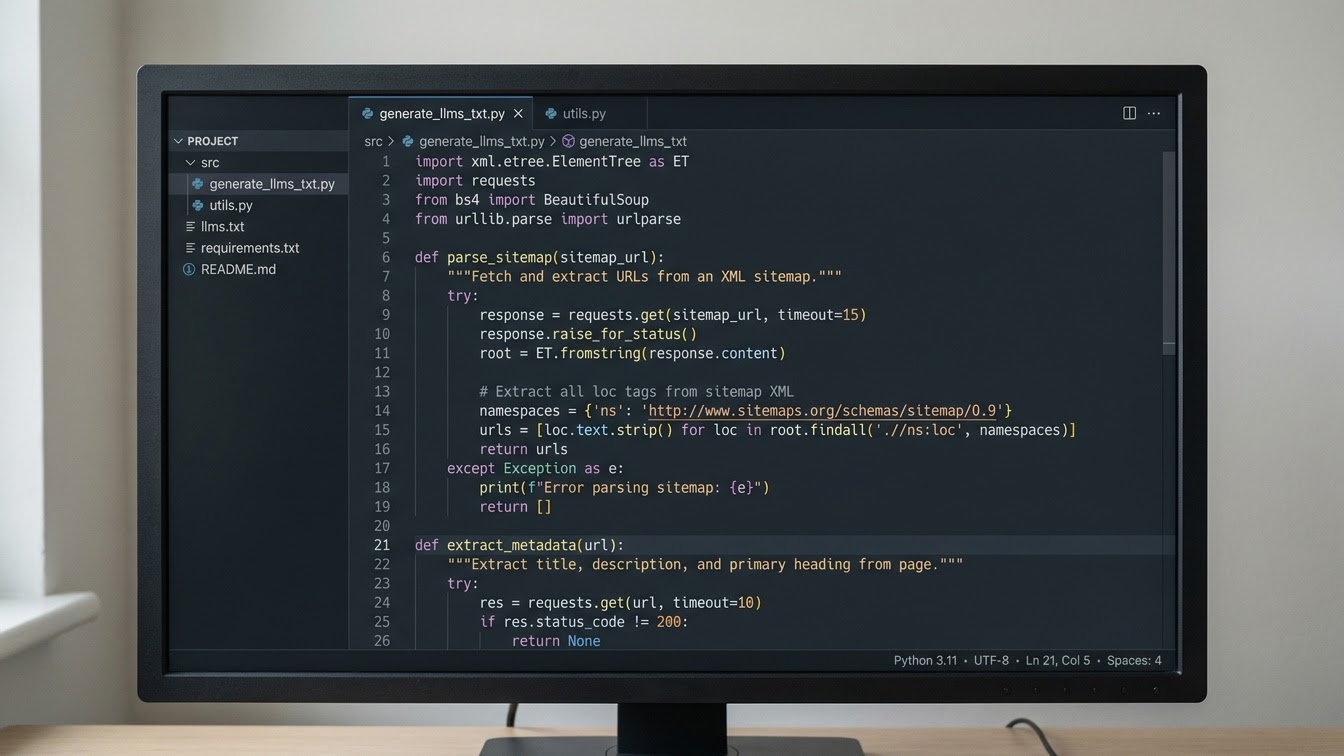
Your website can only be cited by AI-engines if those engines understand what your content contains. The llms.txt file serves as a structured table of contents specifically for large language models. In this tutorial, you will build your own llms.txt generator in Python, so you maintain full control over how AI-crawlers interpret your site.
Why you need an llms.txt file
AI-crawlers from OpenAI, Anthropic and Google interpret your site differently than classic search engines. While a robots.txt determines whether bots are allowed to crawl, an llms.txt tells your site content in a format that LLMs can process directly. Without this file, you miss a crucial steering mechanism for your AI visibility.
An llms.txt generator automates the creation and updating of this file. Manual maintenance is error-prone and doesn't scale with growing websites.
What the llms.txt generator does
Before you write code, it's important to have a clear scope. The generator performs three core tasks:
- Crawl your sitemap and collect all relevant URLs
- Extract the title and description for each page
- Generate a structured llms.txt file according to the standard
The end result is a file you place in the root of your domain, directly readable for AI-crawlers.
Requirements and setup
You need a working Python 3.8+ installation. Install the required packages via pip:
pip install requests beautifulsoup4 lxml| Package | Function |
|---|---|
| requests | HTTP requests to your sitemap and pages |
| beautifulsoup4 | Parse HTML and extract metadata |
| lxml | Efficiently process sitemap XML |
Create a new file, for example generate_llms_txt.py. In it you will build the complete generator.
The llms.txt generator in Python: complete code
Step 1: parse sitemap
The first function retrieves all URLs from your XML sitemap. This is the foundation for the entire generation.
import requests
from bs4 import BeautifulSoup

def get_urls_from_sitemap(sitemap_url):
    response = requests.get(sitemap_url, timeout=10)
    response.raise_for_status()
    soup = BeautifulSoup(response.content, "lxml-xml")
    urls = [loc.text.strip() for loc in soup.find_all("loc")]
    return urls
This function returns a list of all URLs your sitemap contains. The lxml-xml parser reliably processes the XML structure, even with large sitemaps.
Step 2: extract metadata per page
For each URL, you retrieve the page title and meta-description. This forms the content of your llms.txt.
def extract_page_metadata(url):
    try:
        response = requests.get(url, timeout=10)
        soup = BeautifulSoup(response.text, "html.parser")
        title = soup.title.string.strip() if soup.title else "No title"
        meta_desc = ""
        meta_tag = soup.find("meta", attrs={"name": "description"})
        if meta_tag and meta_tag.get("content"):
            meta_desc = meta_tag["content"].strip()
        return {"url": url, "title": title, "description": meta_desc}
    except requests.RequestException:
        return None
The try/except block catches network errors without crashing the script. Pages that are unreachable are simply skipped.
Step 3: generate the llms.txt file
Now you combine both functions into the actual generator:
def generate_llms_txt(sitemap_url, output_file="llms.txt"):
    urls = get_urls_from_sitemap(sitemap_url)
    print(f"{len(urls)} URLs found in sitemap.")

    lines = ["# LLMs.txt", f"# Generated for: {sitemap_url}", ""]

    for url in urls:
        meta = extract_page_metadata(url)
        if meta:
            lines.append(f"## {meta['title']}")
            if meta["description"]:
                lines.append(f"> {meta['description']}")
            lines.append(f"- URL: {meta['url']}")
            lines.append("")

    with open(output_file, "w", encoding="utf-8") as f:
        f.write("\n".join(lines))

    print(f"llms.txt generated: {output_file}")

if __name__ == "__main__":
    generate_llms_txt("https://yourdomain.com/sitemap.xml")
Replace https://yourdomain.com/sitemap.xml with your own sitemap URL and run the script:
python generate_llms_txt.pyThe result is a fully structured llms.txt file that you can place directly in the root of your web server.
Validation and next steps
Generating the file is step one. Validation is equally important. Check that the file is accessible at https://yourdomain.com/llms.txt and spot-check the content.
Three follow-up actions to complete your technical GEO setup:
- Integrate the script into your CI/CD pipeline so
llms.txtis automatically updated with each deployment - Validate your schema markup and robots.txt configuration to ensure full crawlability
- Schedule a quarterly review to measure whether AI-engines are actually citing your content
Want to know right away how AI-engines currently interpret your site? The GrowthScope Quickscan performs a server-side rendering check and llms.txt status validation within minutes. No account, no setup. So you know exactly where your technical GEO hygiene stands and which fixes deserve priority.
From generator to structural competitive advantage
Building an llms.txt generator in Python takes you less than an hour. The return is structural: every time an AI-engine crawls your site, it has a clear, structured table of contents.
Combine this with an ongoing GEO strategy and you transform technical hygiene into measurable competitive advantage in AI answers.
Start today. Generate your llms.txt, deploy it, and validate the result.